
Workflow in AP automation is often overlooked when invoice accuracy is treated as the defining measure of accounts payable automation success. Accuracy is visible, easy to quantify, and simple to explain. If invoice data is captured correctly, many assume the rest of the process should fall into place.
In practice, finance teams see a different reality. Highly accurate invoices still stall in approval queues, fail matching, or circulate endlessly while people clarify ownership, policy, or context. At the same time, invoices with minor imperfections can move smoothly when workflow and responsibilities are clear.
The difference is not accuracy. It is workflow.
Why invoice accuracy gets so much attention
Invoice capture is one of the first automation steps organisations tackle. It replaces manual entry, reduces keystrokes, and delivers an immediate sense of progress. Accuracy rates can be benchmarked and improved, which makes capture a comfortable focal point early in transformation programs.
Accuracy genuinely helps by:
- Reducing basic rekeying
- Improving consistency of invoice records
- Lowering obvious data errors
But accuracy only affects one part of the invoice journey. Most AP effort sits after capture.
Where accurate invoices still get stuck
Even when invoice data is extracted correctly, invoices frequently stall due to factors unrelated to capture.
Approval Ambiguity
Invoices sit idle because it is unclear who should approve them or because approval rules are inconsistent across teams and entities.
Missing Business Context
Approvers receive invoices without purchase order detail, confirmation of receipt, or supporting evidence, leading to delays or rejections.
Policy Enforcement Gaps
Invoices comply commercially but fail internal policy requirements, such as spend thresholds or coding rules, triggering manual review.
Exceptions Without Ownership
Invoices fail a validation but remain in generic queues, forcing AP to investigate and chase rather than process.
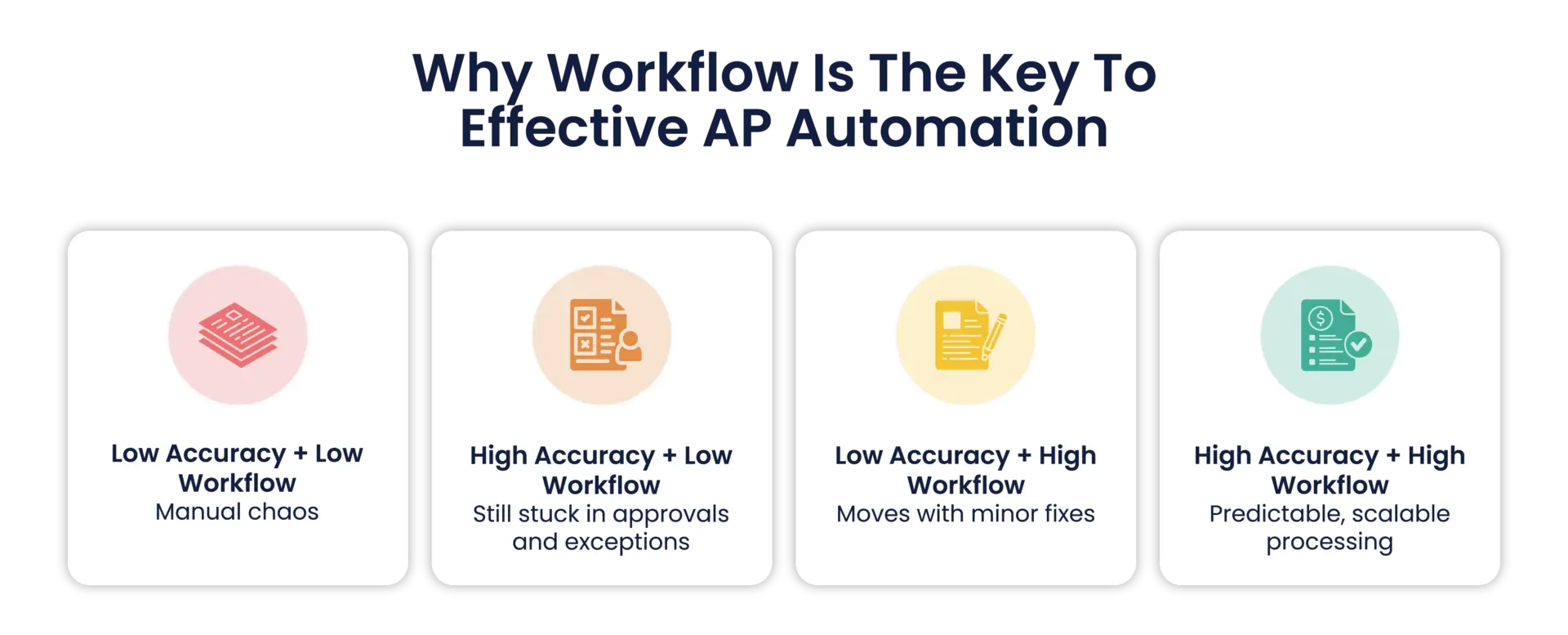
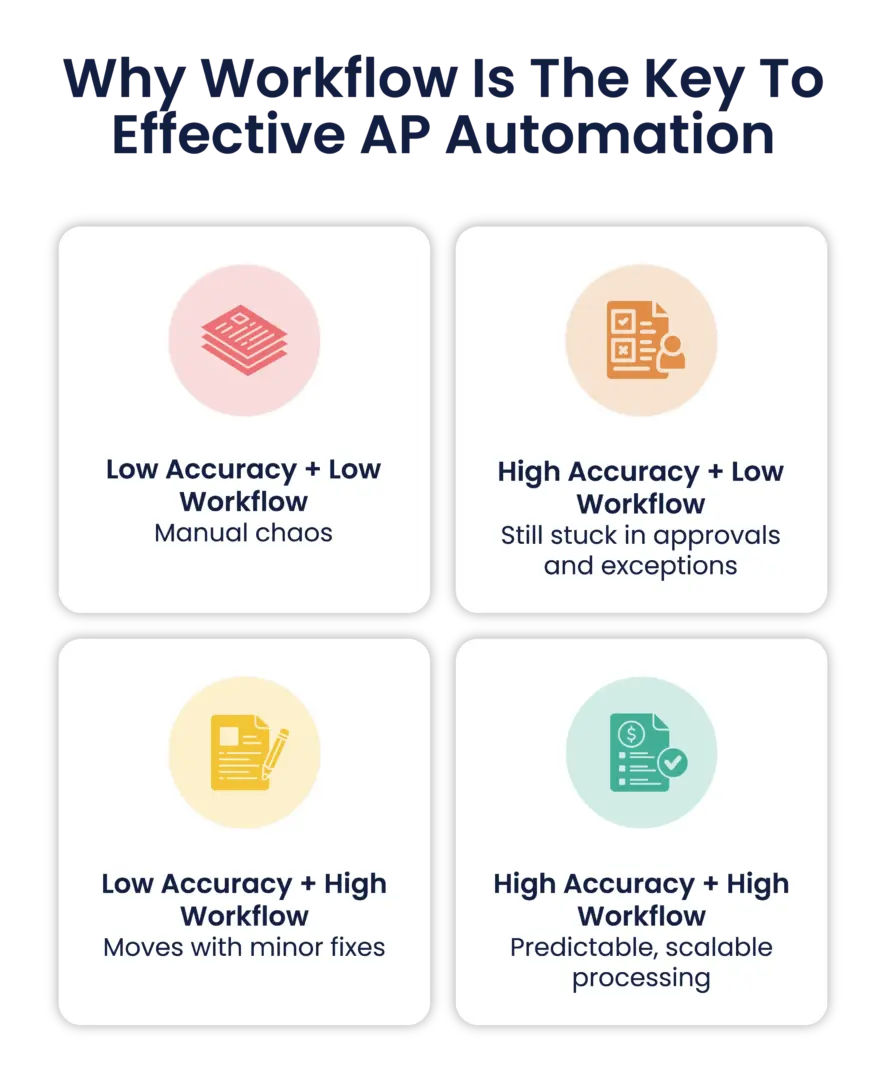
In all these cases, the invoice data itself may be accurate. What is missing is a governed path through the organisation.
What workflow in AP automation actually controls
Workflow in AP automation is the operating logic that turns invoice handling into a consistent, auditable process. It defines the decision points that determine whether an invoice moves forward automatically, pauses for review, or is redirected with clear accountability, so progress depends on rules and responsibility, not informal follow-ups.
A well-designed AP workflow determines:
- Which invoices qualify for minimal touch processing
- What validations must pass before progression
- How purchase order matching applies
- Who approves invoices based on delegation and structure
- How exceptions are routed and escalated
- What documentation and notes are retained for audit and disputes
Workflow turns invoice processing from a series of handoffs into a predictable system.
Why workflow reduces effort, not just enforces control
Workflow is sometimes perceived as adding steps or slowing things down. In practice, the opposite is true.
Clear workflow reduces effort by:
- Fast tracking low-risk invoices
- Routing issues to the right person the first time
- Removing informal email coordination
- Giving approvers the information they need to decide quickly
- Preventing invoices from looping back through AP unnecessarily
This is how AP teams increase throughput without increasing workload.
Straight-through processing depends on workflow design
Straight-through processing is often attributed to capture quality, but it is fundamentally a workflow outcome.
An invoice can only flow touchless when:
- Validations pass consistently
- Matching rules are clear and reliable
- Approvals are not required beyond defined thresholds
- Posting rules are configured and stable
Without workflow discipline, AP teams still review invoices manually regardless of how accurate capture is.
The finance leadership perspective
From a CFO or AP Manager’s point of view, workflow matters because it creates predictability.
Finance leaders want to know:
- Where invoices are in the process
- Why some invoices take longer than others
- Whether controls are applied consistently
- Whether the process can scale without risk
Workflow, not capture accuracy, answers these questions.
Where RapidAP fits, briefly
Some organisations adopt rules-driven AP automation platforms where capture, validations, approvals, exception handling, and ERP integration operate as one governed process.
In RapidAP, invoice capture focuses on invoices and credit notes using ABBYY OCR and Peppol ingestion, where configured, supported by rules-based validations, duplicate detection, configurable approval workflows, exception routing, and invoice lifecycle visibility through to ERP posting.
Key takeaways
- Invoice accuracy improves data quality, but it doesn’t prevent delays.
- Workflow determines speed, ownership, and consistency from receipt to ERP posting.
- Clear rules and approvals reduce rework and stop invoices from stalling in queues.
- Straight-through processing depends on workflow design, not just capture quality.
- Effective AP automation routes exceptions to the right person fast and keeps full traceability.