
Most finance teams don’t start automating accounts payable because they want a new system. They do it because the current process becomes harder to defend, harder to scale, and harder to manage each year.
In many organisations, invoices arrive through multiple channels, approvals happen in email, and the closest thing to a source of truth is whoever last touched the invoice. That can work at low volume. It becomes fragile at scale, especially with decentralised approvals, multiple sites, staff turnover, and rising audit expectations.
A practical approach to accounts payable automation is less about chasing a touchless ideal and more about building a process that is consistent, visible, and governed.
What does automating accounts payable actually mean
Accounts payable automation is not one feature. It’s a set of improvements across the invoice lifecycle, from invoice receipt through to approval and export into the finance system.
Typically, the work you are trying to improve falls into five areas.
Invoice receipt
How invoices arrive, how they are captured, and how supporting documents are attached.
Validation
The checks that stop obvious issues early, such as duplicates, missing approvals, missing GL coding, or missing purchase order detail.
Workflow and approvals
How an invoice is routed, who owns the decision, and how approvals are evidenced.
Exception handling
How mismatches and disputes are managed without constant chasing.
Export and auditability
How approved invoices are posted to the ERP, how attachments are stored, and how you retrieve evidence later
If you only automate capture, you have moved the typing. You have not improved control.
Where to start with a messy AP process
Map the AP process as it actually operates today, end to end, including workarounds and exceptions, then fix the biggest delay points first. In practice, a useful map focuses on where invoices stall and why. Look at how invoices arrive, who triages them, who applies GL coding, how approvals are requested and escalated, and what happens when an invoice has no PO or no receipt. Then document how suppliers ask for updates and how your team responds.
Be honest about workarounds. Workarounds are usually where controls and auditability disappear. They are also where cycle time blows out, because informal processes rely on memory and goodwill.
Defining the right outcomes for AP automation
Automation works best when it has a clear intent. Otherwise, teams end up measuring the wrong things.
Typically, the outcomes finance leaders care about are cycle time, processing effort, and control. That includes fewer invoices sitting unapproved, fewer “urgent” escalations, less rework, and better evidence for audit. For many organisations, visibility is the real win: knowing what is in the queue, where it is stuck, and what liabilities exist before month end.
If you define the outcomes early, you can make better design decisions later, particularly around matching rules, tolerances, and who owns exceptions.
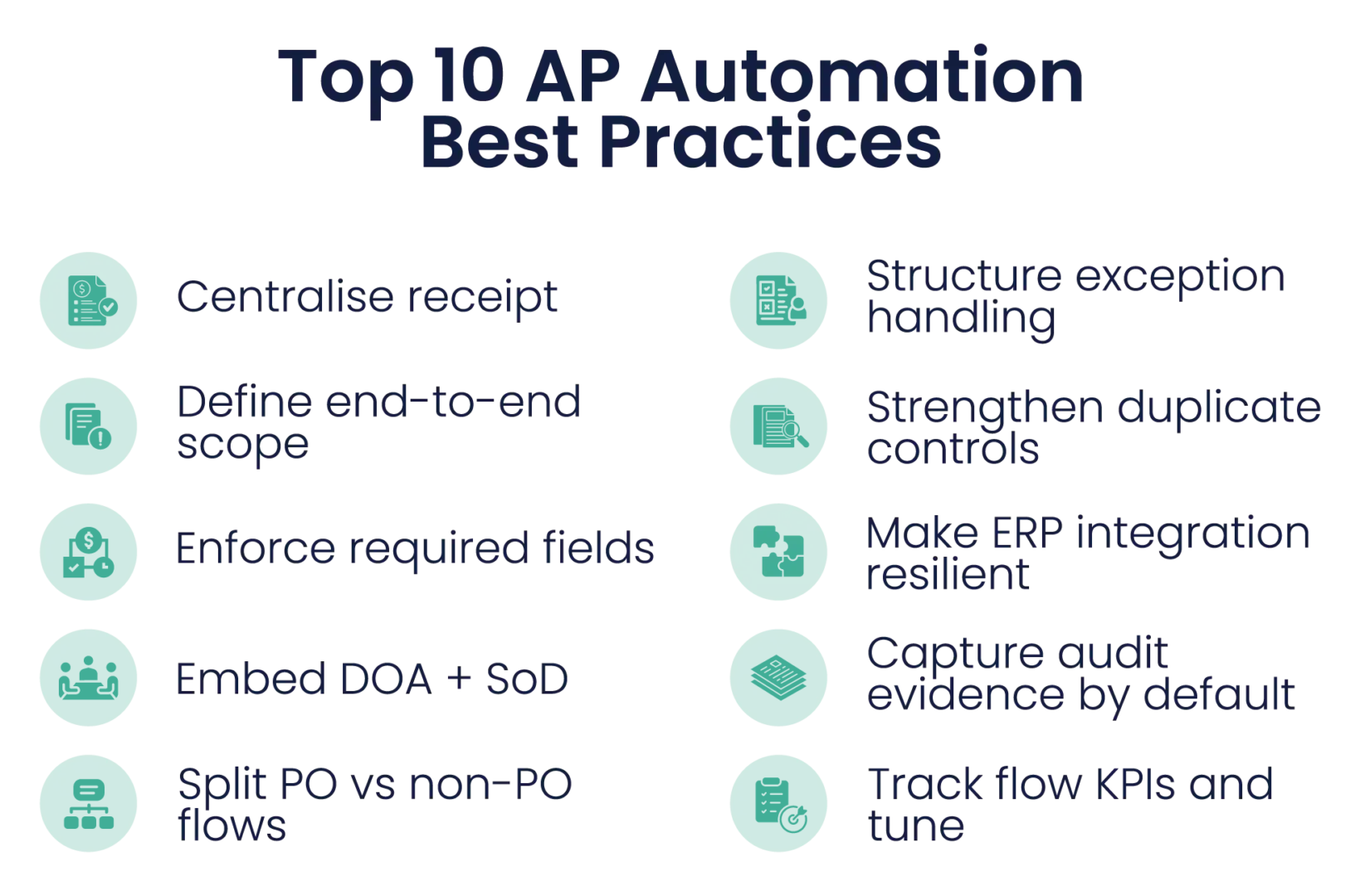
Standardising invoice receipt without disrupting the business
Invoice receipt is where the inconsistency starts. If invoices arrive through five inboxes, two shared drives, paper mail, and just forward it to Sarah, you will struggle to control anything downstream.
A workable baseline is to limit receipt channels and make the rules obvious. That usually means a small number of approved submission paths, a consistent method for attaching supporting documents, and clear ownership for triage.
Supplier communication matters here, but so does internal discipline. If the business keeps accepting invoices that bypass the process, AP becomes the clean-up crew and automation will not stick.
Validation rules that reduce risk without creating bottlenecks
Validation is where automation becomes governance, not just speed. The aim is to prevent avoidable issues early, without generating constant false positives.
The most practical validations are the ones that reduce payment leakage and rework. Duplicate detection is an obvious one, but it is only effective when it considers the patterns that cause duplicates in the real world, such as invoice number variations, split invoices, and credit notes. Mandatory fields for GL coding and approvals matter because they stop incomplete work being pushed downstream. For Australian organisations, GST handling checks are also a common source of avoidable rework if they are inconsistent or left too late.
If you use purchase orders, you also need clear rules about when a PO is required and what happens when it is missing. Matching rules and tolerances need similar clarity. If the rules are too strict, you create queues of low-value exceptions. If they are too loose, you lose the control benefit.
A good test is simple: if a validation generates a lot of noise, people stop trusting it. When trust drops, teams work around the system, and control weakens.
Moving approvals out of email in a way that sticks
Email feels convenient, but it is not a workflow. It does not reliably show who approved, when they approved, what they reviewed, or whether the approval complied with the delegation of authority (DOA).
A durable approvals approach usually starts with DOA rules that reflect policy, then builds a routing model that fits how the organisation actually spends money. Approvers need context to make a quick decision. If they receive an invoice with no PO detail, no evidence of receipt, and no explanation of the spend, it will sit. That delay is not an AP problem. It is a design problem.
You also need practical coverage for leave and role changes, and a clear escalation model when invoices sit too long. Without that, the new workflow quietly turns back into chasing.
How should exception handling work in an automated AP process
Exceptions are normal. Mature AP teams don’t eliminate exceptions. They manage them.
A practical exception model has standard exception reasons, a defined owner for each exception type, and visible ageing. The owner’s point matters. The missing receipt belongs with operations. PO price issues belong with procurement or the contract owner. Service acceptance belongs with the budget owner. If exceptions land in a generic queue, AP ends up investigating and chasing, which defeats the purpose.
The other part that makes exception handling work is the feedback loop. If the same exception keeps recurring, treat it as a process defect upstream. Fixing upstream behaviour reduces workload far more than adding more AP checks.
What does ERP integration need to achieve
If AP automation still requires rekeying into the ERP, you haven’t removed the highest risk work.
At a minimum, integration needs to support exporting approved invoices into the ERP for posting, carrying the right GL coding and approvals, and storing attachments so invoices and evidence are accessible for audit. It also needs visible error handling. If integration fails silently, teams rebuild manual steps to protect payments and month end, and the process fragments again.
The non-negotiable here is trust. If finance and AP do not trust the integration, they will keep their own parallel process.
KPIs that prove automation is working
Avoid measuring only volume. Measure flow and control.
In practice, the most useful measures are cycle time from receipt to approval, ageing by stage, exception rate and the top exception reasons, and the backlog sitting with approvers. If you use POs, PO compliance and match outcomes are also important because they show whether upstream discipline is improving.
Supplier enquiry volume is another practical indicator. When invoice status is visible and reliable, enquiry traffic usually falls and AP gets time back.
A sensible rollout plan for AP automation
A staged rollout reduces disruption and gives you time to tune rules based on real patterns.
What we often see work is starting with PO invoices and high-volume suppliers, because the structure is already there. Then extend to non-PO invoices once GL coding and approvals are stable. Use the early phases to refine tolerances, exception ownership, and escalation rules. Once the process is stable, expand to additional entities, sites, and categories.
This approach also supports change management because stakeholders experience improvements, not just effort.
Where do AP automation tools fit once the process is clear
Tools work best when they reinforce decisions you have already made about control, ownership, and visibility. A platform should support structured workflows, rules-based validation, exception routing, and audit-ready history. It should make it easier to run the process consistently, even when people change roles or volumes rise.
Key takeaways
- Automating accounts payable is an end-to-end process improvement, not just invoice capture. The biggest gains usually come from workflow, validation, and clear exception ownership.
- Standardising invoice receipt is often the fastest practical win because it stops invoices being scattered across inboxes and informal approval trails.
- Validation works best when it reduces real-world rework, including duplicate payments, missing GL coding, inconsistent GST treatment, and unclear PO requirements, without creating noisy low-value exceptions.
- Moving approvals out of email only sticks when it aligns to the delegation of authority, gives approvers the context they need, and includes leave coverage and escalation rules.
- Exception handling is what makes automation sustainable. Defined reasons, clear owners, visible ageing, and feedback loops reduce chasing and prevent repeat issues.
Frequently Asked Questions
What’s the first step if our invoices come in through multiple inboxes?
Start by standardising receipt into one or a small number of controlled channels. Once everything enters the process the same way, you can apply consistent validation, tracking, and routing without chasing what you can’t see.
Is invoice capture or OCR enough to count as AP automation?
Not really. Capture reduces keying, but the biggest control gains come from validation rules, approvals workflow, structured exception handling, and audit-ready history through to ERP posting.
Do we need purchase orders to automate accounts payable effectively?
No. You can automate and strengthen control for non-PO invoices using validation, coding standards, approval authority, and exception ownership. POs help where commitment control is a real issue, but they don’t have to come first.
What validation rules usually make the biggest difference?
Duplicate detection, mandatory fields (coding, tax, approver), and rules that prevent incomplete invoices entering approvals. If you use POs, clear PO-required rules and sensible tolerances reduce low-value exceptions.
How do we move approvals out of email without creating pushback?
Make approvals faster and clearer for approvers: route correctly the first time, provide context (PO/receipt/supporting docs), support delegation for leave, and make escalation rules predictable so AP isn’t forced back into chasing.
Which KPIs best show whether automation is improving control (not just speed)?
Cycle time by stage, ageing by stage, exception rate and top exception reasons, backlog sitting with approvers, and supplier enquiry volume. If you use POs: PO compliance and match outcomes.